---
title: 'SVG as Favicon'
url: 'https://gerfficient.com/en/home/svg-favicons'
markdown: 'https://gerfficient.com/en/home/svg-favicons.md'
lang: en
date: '2024-01-09'
description: 'Web pages often use a pertinent image or their logo to remain recognizable as a tab in the tab-bar. This image or logo is also called the favicon (for favorite icon). Especially when the tab-bar is so full that the titles of the individual web pages can no longer be displayed, it is important to us…'
---
# SVG as Favicon
### 09. Jan. 2024
Web pages often use a pertinent image or their logo to remain recognizable as a tab in the tab-bar. This image or logo is also called the `favicon` (for favorite icon). Especially when the tab-bar is so full that the titles of the individual web pages can no longer be displayed, it is important to use the correct `favicon`.
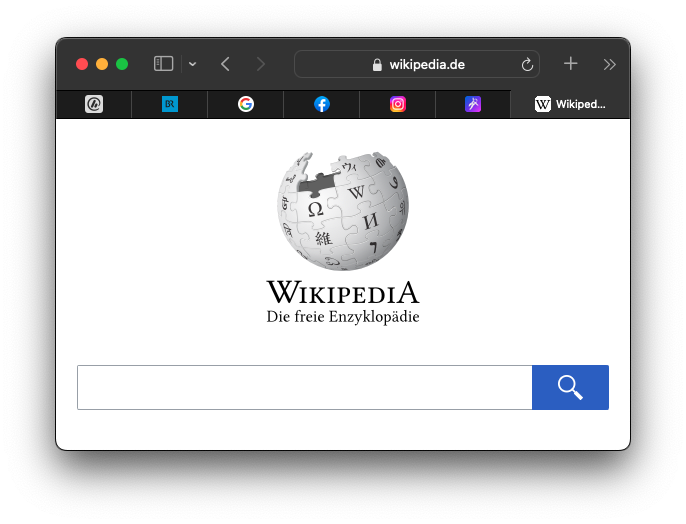
A `favicon` is embedded in a web page using the following HTML syntax:
```html
```
The image should be 32x32 pixels in size and a PNG image. Since such a small image can look inferior on modern screens, it is worth using scalable images.
## Icon
An SVG image could be specified with the type attribute `type="image/svg+xml"` as `favicon`. In modern browsers this is no longer necessary, so the syntax is short and concise, and embeds a perfectly scalable image as a `favicon`:
```html
```
## Mask Icon
Safari requires a masked icon, i.e. a `mask-icon`. This is also an SVG image, but it must have a single color and must be drawn on a transparent background. Safari then adds the color via the color attribute `color="#000000"`:
```html
```
## Touch icon
For iOS devices, an image with a size of 180x180 pixels is embedded as an `apple-touch-icon`. The size attribute `size` is not necessary in the HTML syntax:
```html
```
Unfortunately, no SVG image can be used here. However, the size is already optimized for display on iOS devices.
## Manifest
For Android and Google devices, the `favicon` is embedded via a file called `manifest.json`:
```html
```
For Chrome on Andriod, a meta tag called `theme-color` must also be specified:
```html
```
The `manifest.json` file then contains the following information:
```json
{
"name": "Starter",
"short_name": "Starter",
"icons": [{
"src": "favicon-google.png",
"sizes": "512x512"
}],
"background_color": "#ffffff",
"theme_color": "#ffffff",
"display": "fullscreen"
}
```
These specifications are necessary to pass the [Lighthouse](https://developers.google.com/web/tools/lighthouse) test.
## Dark Mode
In addition to perfect scalability, another advantage of an SVG image is that one can change the display color depending on the browser's mode. This is done using the CSS media query `prefers-color-scheme`, which automatically changes the color of the `favicon` between light and dark mode. This media query is written as `
```
## Summary
The complete code that should be embedded in the `` of the web page to display an optimized `favicon` for all devices looks like this:
```html
```
To continue to support older browsers, one should still save a file called `favicon.ico` in the root folder of the website.
---
## Navigation
- Parent: [Home](https://gerfficient.com/en/index.md)
- Previous: [IPMI - Managing Hardware Remotely](https://gerfficient.com/en/home/ipmi.md)
- Next: [How slow is MATLAB really](https://gerfficient.com/en/home/how-slow-is-matlab-really.md)